
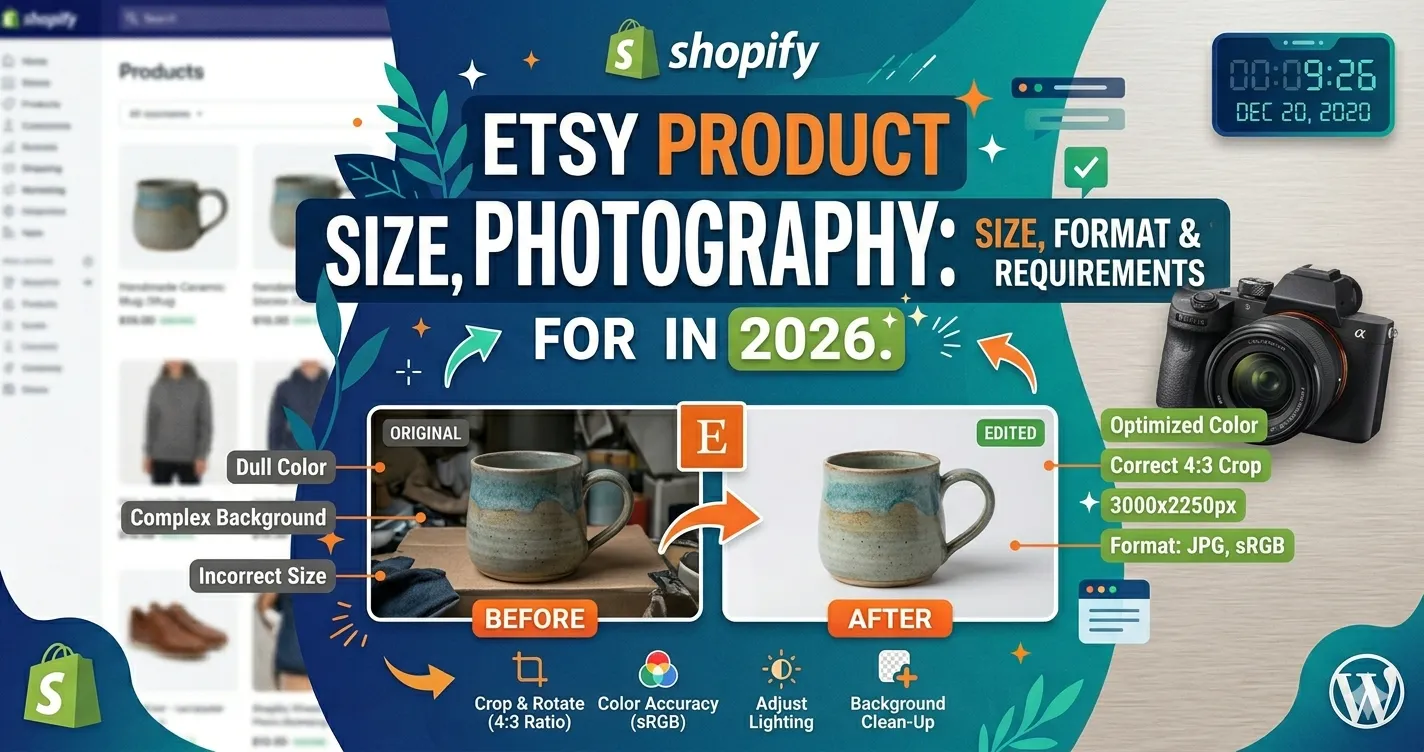
Etsy Product Photography: Image Size, Format & Requirements in 2026
Etsy product photography can make or break a listing before shoppers read a single word. For UK and USA sellers, your images need to look handmade, clear, trustworthy, and technically ready for Etsy’s upload and thumbnail system. This guide covers Etsy image size, file format, photo count, color profile,
thumbnail cropping, common mistakes, and how Clipixie can help prepare polished listing photos at scale.
Why Etsy Image Specs Matter for Sellers
Etsy image specs matter because your photos affect listing quality, search visibility, buyer confidence, and how your products appear across mobile, desktop, thumbnails, and full listing views. Etsy says multiple clear, high-resolution images are important for listing quality, and a main image that is too dark, blurry, or part of a collage may cause a listing to appear lower in Etsy search results.
Here’s the thing: Etsy shoppers can’t touch your product. They judge texture, scale, finish, color, craftsmanship, and value through images. A soft-focus candle label, cropped jewelry clasp, wrinkled apparel photo, or dull background can make a good product feel unfinished.
For UK and USA sellers competing in busy categories, clean images help you look established. They also reduce buyer hesitation, especially when your products are handmade, vintage, personalized, or made in small batches.
| IMPORTANT |
| Etsy’s rules and quality signals are not just design preferences. Etsy recommends listing images at least 2000 pixels wide and tall, notes that the first listing photo should be at least 635 pixels wide and tall to avoid showing lower in searches, and requires sellers in handmade categories to use their own photographs. |
Etsy Photo Specs at a Glance
The best Etsy listing photos in 2026 should be at least 2000 x 2000 pixels, saved in a supported file format, cropped with enough space for thumbnails, and exported in sRGB, the standard web color profile. Etsy’s current Help Center also says sellers can add up to 20 photos and 1 video to each listing.
| Requirement | Etsy Guidance | Best Practice for Sellers |
| Listing image size | At least 2000 px wide and 2000 px tall recommended | Export square, landscape, or crop-safe files at 2000 px or larger |
| First listing photo | At least 635 px wide and tall to avoid lower search placement | Use a sharp, high-resolution hero image |
| Photos per listing | Up to 20 photos | Use enough images to answer buyer questions: front, back, scale, detail, packaging, lifestyle |
| Listing video | 1 video per listing | Use video when texture, movement, shine, or scale matters |
| Accepted image formats | .jpg, .gif, .png, .svg, .heic | Use JPG/JPEG for most product photos; use PNG only when needed |
| Unsupported behavior | Animated GIFs and transparent PNGs are not supported; transparent areas can appear black | Avoid transparent exports for listing photos |
| File size | Images over 1 MB may not finish uploading on slower connections | Compress carefully without making images blurry |
| Color profile | Etsy converts images to sRGB; CMYK is for print | Convert to sRGB before upload to reduce color shifts |
| First-photo orientation | Horizontal/landscape or square is recommended | Keep the product centered with enough border for thumbnail crops |
| Thumbnail safety |
Etsy recommends previewing square, portrait, and landscape thumbnail views | Leave negative space around the product and avoid tight crops |
What Etsy Product Image Requirements Mean
Etsy product image requirements are the technical and visual standards that help your listing photos upload correctly, display clearly, and survive thumbnail cropping. In plain English, Etsy wants large, clear, web-ready photos that show the product accurately and look good across different screen sizes.
Think of it like packaging. Your product photo is the packaging shoppers see before they decide to click. If the “package” looks blurry, cramped, dull, or inconsistent, buyers may scroll past even if the item itself is excellent.
A strong Etsy image workflow usually looks like this:
- Shoot larger than you need: Start with a high-resolution image so you can crop without losing sharpness.
- Clean the product area: Remove dust, lint, wrinkles, uneven shadows, background clutter, or color casts.
- Crop with breathing room: Leave space around the product so Etsy’s thumbnail views do not cut off important edges.
- Resize for Etsy: Export images at 2000 px or larger, with a consistent shape across the gallery.
- Use the right format: JPG works best for most product photos because it balances quality and file size.
- Check color: Convert images to sRGB before uploading so colors look closer to the edited version on Etsy.
- Preview the thumbnail: Etsy lets sellers adjust and preview thumbnails, so use that step before publishing.
- Add useful alt text: Etsy allows English-language shops to add alt text, which describes the image for accessibility and may help outside search engines understand the image.
| PRO TIP |
| Do not crop your master photo too tightly. Etsy recommends capturing the product from farther back than you think you need, keeping the most important part centered, and leaving enough border so square, portrait, and landscape thumbnails do not cut off the item. |
| Want to See the Invisible Mannequin Effect in Action?
Send one product photo to Clipixie and see how clean cropping, resizing, background cleanup, and manual editing can improve the final listing image. |
Who Needs This Guide?
This guide is for Etsy sellers who need product images that look polished, accurate, and ready for marketplace display.
- Handmade sellers: Jewelry, candles, ceramics, stationery, leather goods, and craft brands need clear detail shots that show material quality.
- Vintage sellers: Vintage listings need honest images that show condition, wear, scale, labels, and texture.
- Apparel and accessory shops: Clothing, bags, hats, scarves, and footwear need consistent backgrounds, clean edges, and accurate color.
- Personalized product sellers: Custom gifts need close-ups that make names, engraving, stitching, or print quality easy to inspect.
- Digital product sellers: Printable art, templates, and downloads need clean mockups that explain what the buyer receives.
- Photographers and eCommerce teams: Anyone managing multiple Etsy listings needs a repeatable editing workflow, not one-off fixes.
How Better Etsy Photos Improve Business Results
Better Etsy photos improve business results by reducing buyer doubt. A clear image set helps shoppers understand the product faster, compare options more confidently, and trust that the seller pays attention to details.
More Trust
Sharp, clean, consistent photos make your shop feel active, careful, and buyer-friendly.
Better Clicks
A polished hero image can stand out in crowded search results and category pages.
Fewer Questions
Detail, scale, and packaging photos answer common buyer concerns before they message you.
Lower Return Risk
Accurate color, size, and texture images help buyers set the right expectations.
Stronger Brand Memory
A consistent photo style makes your shop easier to recognize across listings.
Faster Listing Launches
A repeatable editing process helps sellers publish seasonal drops, new colorways, and restocks faster.
| Need Cleaner, More Consistent Etsy Listing Photos?
Clipixie can remove distracting backgrounds, clean edges, adjust crops, and prepare marketplace-ready images without making your products look fake. |
For Etsy Sellers in the UK and USA
Etsy sellers in the UK and USA need photos that work for both local shoppers and international buyers. That means your images should explain the product clearly without relying only on written descriptions.
A UK buyer looking at a handmade mug wants to understand size, glaze, handle shape, and color. A USA buyer looking at a personalized necklace wants to see chain length, engraving clarity, clasp style, and packaging. When the photo set does that work, the listing feels safer to buy from.
You may be shooting on a phone, editing late at night, and trying to list products before a holiday rush. That is where a clean editing partner helps. Clipixie can take your raw product images and prepare them for Etsy-style presentation: sharper crops, cleaner backgrounds, better consistency, and export-ready
files.
DIY Editing vs. Clipixie Professional Editing
DIY editing works for simple fixes, but professional editing helps when quality, speed, and consistency matter across many listings.
| DIY Editing | Clipixie Professional |
| Resize images manually one by one | Prepare images to Etsy-friendly dimensions with consistent exports |
| Use quick app filters that may shift product color | Adjust color carefully so the item still looks natural |
| Crop by eye and risk cutting off edges in thumbnails | Create crop-safe compositions with product-centered framing |
| Remove backgrounds with rough auto-tools | Clean backgrounds and edges manually for a polished finish |
| Fix dust, lint, wrinkles, or shadows only when obvious | Retouch small distractions that make products look less finished |
| Struggle to match images across product variations | Keep image style consistent across colors, sizes, and SKUs |
| Spend hours editing instead of listing | Free up time for product making, shipping, and customer service |
Clipixie editors manually handle each image. That means trained editors review the work, not batch filters that treat every product the same.
Common Etsy Photo Mistakes to Avoid
The most common Etsy photo mistakes are small technical and visual choices that make products look lower quality than they are.
- Uploading small images: Images below Etsy’s recommended size can look soft, especially after cropping or compression.
- Cropping too tightly: Tight crops can cut off earrings, handles, sleeves, labels, or product corners in thumbnails.
- Using a dark main photo: Etsy notes that a main image that is too dark, blurry, or part of a collage may affect search visibility.
- Making the hero image a collage: A collage may be hard to read in search results, especially on mobile.
- Ignoring color profile: CMYK or unmanaged color can look different online; Etsy recommends sRGB for web displays.
- Exporting transparent PNGs: Etsy says transparent PNGs are not supported and transparent areas may appear black.
- Mixing too many image shapes: A gallery with square, vertical, and random crops can feel messy.
- Over-editing the product: Removing natural texture, changing color, or smoothing handmade details can create buyer disappointment.
Practical Tips for Better Etsy Listing Images
The best Etsy images are clear, honest, well-lit, and edited with the buyer’s decision in mind. Your goal is not to make the product look unreal. Your goal is to make it easy to understand.
- Shoot with extra space: Leave a border around the item so editors can crop safely for Etsy thumbnails.
- Keep the product centered: Etsy recommends keeping the most important part focused in the center for different thumbnail views.
- Use consistent lighting: Keep shadows, brightness, and color temperature similar across the full gallery.
- Show scale clearly: Add one image with a hand, model, ruler, packaging, table setting, or room context when size matters.
- Include detail shots: Show fabric texture, gemstone setting, stitching, engraving, print finish, glaze, or vintage condition.
- Use a clean background: Neutral backgrounds help shoppers focus on the product, especially for small items.
- Avoid heavy filters: Filters can change color and make handmade items look less accurate.
- Export in sRGB: This helps reduce unexpected color shifts after upload.
- Compress carefully: Smaller files upload more easily, but too much compression creates blocky, blurry edges.
- Write useful alt text: Etsy recommends describing item details, texture, and scale and keeping descriptions up to 250 characters.
| SIMPLE TIP |
| Before uploading, zoom out until the image looks thumbnail-sized. If you cannot understand the product in two seconds, the crop, brightness, or background needs work. |
Etsy Photo Pre-Submission Checklist
Use this checklist before uploading product images to Etsy.
| Category | Check Before Upload |
| Size | Listing images are at least 2000 px wide and tall where possible |
| Size | Hero image is sharp enough for cropping and thumbnail previews |
| Format | Product photos are saved as JPG/JPEG unless PNG is truly needed |
| Format | No transparent PNG areas are present |
| Color | Images are converted to sRGB |
| File Weight | Files are compressed without visible blur or artifacts |
| Crop | Product has breathing room around the edges |
| Crop | Main subject stays clear in square, portrait, and landscape preview |
| Consistency | Gallery images have similar brightness, background, and ratio |
| Accuracy | Color, texture, size, and condition match the real product |
| Trust | Detail, scale, packaging, and variation images are included |
| Accessibility | Alt text describes the actual image, not just keywords |
| Compliance | Images are your own and show the item accurately |
How Clipixie Can Help
Clipixie helps Etsy sellers prepare clean, consistent, marketplace-ready product images without turning them into over-edited catalog shots. The goal is simple: keep your product authentic while making the image polished enough to compete.
Clipixie can help with:
- Background cleanup and removal: Use Clipixie’s background removal service to remove distractions, create cleaner product focus, and support consistent shop branding.
- Etsy-friendly resizing and cropping: Editors can prepare images around Etsy’s recommended size and crop-safe display needs.
- Manual retouching: Dust, lint, wrinkles, uneven edges, small marks, and background distractions can be cleaned by hand.
- Color correction: Clipixie can help product colors look more balanced while keeping the item honest.
- Shadow and edge control: Natural shadows can stay when they help the product feel real; harsh distractions can be softened.
- Bulk image consistency: Multi-listing shops can keep a cleaner visual style across product variations, seasonal launches, and restocks.
- Fast, scalable support: Clipixie works well for sellers who need more than one polished image but do not want to build an editing team.
You can also test the workflow first through the Clipixie free trial before editing a full Etsy catalog. Our editors manually handle each image, so your products get careful attention instead of a one-click batch treatment.
Frequently Asked Questions
What size should Etsy product photos be in 2026?
Etsy recommends listing photos with a width and height of at least 2000 pixels. For most sellers, a 2000 x 2000 px square export or a crop-safe landscape image works well, as long as the product stays sharp and centered.
What file format is best for Etsy listing images?
JPG/JPEG is usually best for Etsy product photos because it keeps file size manageable while preserving good image quality. Etsy supports .jpg, .gif, .png, .svg, and .heic, but transparent PNGs and animated GIFs are not supported in the way sellers often expect.
How many photos can I add to an Etsy listing?
Etsy’s current listing creation help page says sellers can add up to 20 photos and 1 video to each listing. That gives you room to show the hero image, angles, close-ups, scale, packaging, variations, and lifestyle context.
Should Etsy photos be square or landscape?
Your first Etsy photo should be horizontal/landscape or square. Etsy says the horizontal orientation helps the center focal point appear correctly in cropped thumbnail views, and keeping images the same shape creates a more cohesive browsing experience.
Why do Etsy photos look blurry after upload?
Etsy may compress images after upload to improve page performance and optimize them for mobile displays. Starting with a sharp, high-resolution image and avoiding aggressive compression before upload gives you a better chance of keeping the final image clean.
Can I use transparent PNG product photos on Etsy?
You should avoid transparent PNGs for Etsy listing images. Etsy says transparent PNG files are not supported, and transparent parts of the image may appear black on Etsy.
Do Etsy listing images need alt text?
Alt text is strongly useful, especially for accessibility and outside search engines. Etsy says alt text describes images for buyers who cannot see them and recommends describing the item’s details, texture, and scale in concise language up to 250 characters.
Can Clipixie resize and edit Etsy photos for me?
Yes. Clipixie can resize, crop, clean backgrounds, remove distractions, correct color, and prepare consistent product images for Etsy listings. This is especially helpful if you sell many products, have seasonal launches, or want a polished shop look without spending hours editing each image yourself.
Conclusion: Make Every Etsy Image Clear, Consistent, and Ready to Sell
Etsy product photography in 2026 is not just about meeting pixel requirements. It is about helping shoppers understand your product quickly, trust what they see, and feel confident enough to buy.
Clipixie helps Etsy sellers in the UK and USA turn raw product images into polished, listing-ready visuals through careful manual editing, background cleanup, resizing, and consistency checks. Whether you sell handmade jewelry, apparel, home goods, vintage pieces, or personalized gifts, better images help your shop feel more professional without losing its handmade character.
| Ready to Make Your Etsy Photos Listing-Ready?
Clipixie helps Etsy sellers turn raw product photos into polished, marketplace-ready visuals through careful manual editing. |